How to Turn a Game Idea Into a Real Mobile Game in 2026: The Founder's Execution Guide
PGP Studio Team · August 19, 2026 · 16 min read
The exact stage-by-stage execution framework founders use to scope, prototype, build, and launch a commercial Unity mobile game in 2026.

You have a compelling game concept sketched in a notebook or saved on your phone. You can picture the core mechanic, the visual style, and how players will interact with it. However, turning that vision into a commercial, revenue-generating mobile game on Google Play and the Apple App Store involves far more than opening Unity and writing initial scripts.
Every year, hundreds of early-stage founders spend tens of thousands of dollars on mobile game concepts that stall in development, run double over budget, or launch to zero organic traction. The cause is rarely a lack of creativity. Instead, it is the absence of a clear, structured technical execution framework that connects game design, technical architecture, performance profiling, monetization loops, and store compliance.
This guide details the exact stage-by-stage execution framework used by commercial game studios to take a mobile game concept from an initial idea to a high-performing, 60 FPS mobile product in 2026.
Stage 1: Deconstruct Your Concept Into a Game Design Document (GDD)
Before reaching out to a game development company or hiring Unity engineers, you must translate your conceptual vision into concrete technical requirements. In game production, this blueprint is called a Game Design Document (GDD). Without a detailed GDD, development teams are forced to make assumptions about your intent, leading to scope creep and expensive mid-project rewrites.
Your GDD does not need complex software engineering terminology. Instead, it must clearly define the rules, systems, and visual goals of your project so an engineering team can estimate precise sprint hours and asset production pipelines.
Essential Blueprint Elements to Scope:
1. The Core Loop: The primary activity the player performs repeatedly every 30 to 60 seconds (e.g., Drop a block -> Clear lines -> Earn coins -> Unlock new board themes). 2. Target Platforms: Android, iOS, WebGL browser, or multi-platform cross-play. 3. Visual Art Direction: 2D flat vector, 2.5D isometric grid, stylized low-poly 3D, or high-fidelity AAA graphics. 4. Monetization Strategy: Free-to-play with rewarded video ads, interstitials, optional in-app purchases (IAP), or a hybrid model. 5. Key Technical Integrations: Cloud saves, real-time multiplayer, global leaderboards, social authentication, or analytics.
Having reference screenshots of existing titles that mirror your desired UI layout or mechanic speeds up technical scoping significantly and prevents costly misunderstandings during initial contract estimation.
When outlining your GDD, define player progression systems early. Will players earn virtual currency through level completions? Are there gacha mechanics, cosmetic skins, or power-up items? Documenting how player progression connects to your core loop allows engineers to structure database schemas cleanly before writing data serialization code.
Stage 2: Build a Rapid Prototype Before Full Production
One of the most dangerous financial mistakes a non-technical founder can make is committing a full production budget to an unvalidated game mechanic. Before investing in custom 3D art assets, voice acting, and complex particle systems, build a greybox prototype.
A greybox prototype uses simple geometric shapes (cubes, spheres, flat grids) to implement the core gameplay mechanics without any final visual polish. This allows you to evaluate player engagement and physics handling in days rather than months.
Why Prototyping Is Essential for Capital Efficiency:
Prototyping validates whether a mechanic is genuinely fun in real motion. A concept that sounds incredible in a design document can feel repetitive or unintuitive when played on a touchscreen. A 2-week prototype allows you to refine or pivot the core loop for a fraction of the cost.
It also validates mobile device hardware constraints. If your game concept involves 200 physics-driven objects or complex pathfinding algorithms, building a graybox prototype in Unity allows engineers to profile hardware performance early, ensuring target budget phones can maintain a steady 60 FPS framerate.
Finally, a functional Unity prototype running on an actual mobile device is exponentially more persuasive to seed investors and publisher partners than a static pitch deck.
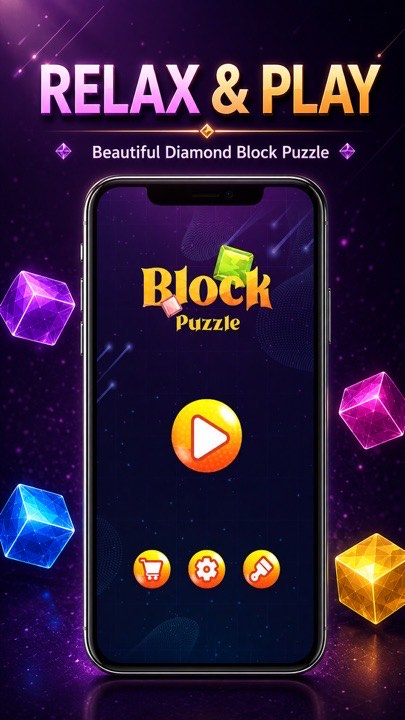
During the prototyping phase, pay close attention to input responsiveness and touch feedback. On mobile screens, touch controls must feel immediate and tactile. Implementing smooth camera positioning, screen shakes for impact feedback, and responsive touch gestures during graybox testing ensures the game feels satisfying to play long before visual art is applied.
Prototyping ToolStack & Asset Store Dependencies
Accelerating early-stage development relies heavily on selecting battle-tested third-party frameworks. Leveraging verified Unity Asset Store packages for tweening animations (DoTween), UI management, input handling (Unity New Input System), and audio management saves weeks of custom boilerplate code.
However, studios must carefully audit third-party dependencies for long-term maintenance. Over-relying on unmaintained asset packages can introduce compatibility bugs when upgrading Unity LTS versions later in your project lifecycle.
Stage 3: Select the Right Engine and Backend Technical Architecture
Selecting your engine and backend technology locks in your production speed, developer talent availability, and long-term scaling cost. For commercial mobile games in 2026, Unity remains the dominant industry standard, powering over 70% of top-grossing mobile titles globally. Our guide to Unity Game Development Services details how cross-platform workflows reduce overall delivery timelines.
Unity provides native cross-platform compilation, enabling a single C# codebase to target both iOS and Android simultaneously. This cuts core engineering effort almost in half compared to building native Swift and Kotlin applications separately.
Backend Infrastructure for Scalable Games:
If your game requires user profiles, cloud saves, match history, or global leaderboards, leveraging lightweight serverless backend frameworks prevents massive infrastructure overhead during launch.
Solutions such as Unity Gaming Services (UGS), Firebase, or PlayFab handle authentication, database storage, and remote configuration out of the box. For real-time multiplayer titles, selecting established networking engines like Photon Fusion or Mirror ensures authoritativeness and low-latency packet synchronization without requiring custom server hardware from day one. See our breakdown on Multiplayer & Backend Infrastructure for architectural recommendations.
Monetization architecture must also be wired early. Integrating ad mediation wrappers (such as AppLovin MAX or Google AdMob) during core framework development ensures ad placements render smoothly without memory leaks or frame drops during gameplay transitions. Read our analysis on Rewarded Ads vs Interstitials eCPM Benchmarks for revenue optimization.
Furthermore, analytics tools such as Adjust, AppsFlyer, or Firebase Analytics must be integrated directly into your event bus during early production. Tracking key user events—such as tutorial completion, level retry rates, and ad views—gives you actionable data to optimize player retention post-launch.
Stage 4: Agile Production Sprints & Mobile Performance Profiling
With a validated prototype and technical architecture in place, full production begins. Commercial production is structured in 2-week agile sprints, gradually replacing graybox shapes with final 2D/3D art, spatial audio, particle systems, and polished UI screens. Learn more about our 5-Stage Agile Production Process.
As art and code accumulate, performance optimization becomes critical. Unoptimized 3D models with excessive polygon counts, uncompressed 4K textures, and poorly configured shaders cause mobile devices to overheat, stutter, and drain battery quickly.
Production Checklist for Mobile Hardware Optimization:
Engineers must enforce strict asset budgets: low-poly geometry optimization, texture atlas packing, sprite stripping, and shader compilation targeting mobile Vulkan and Metal graphics APIs. Implementing object pooling for frequently spawned items (projectiles, coins, visual particles) prevents Garbage Collection (GC) allocations that cause noticeable stutter on budget Android devices. Read our Unity Mobile Performance Optimization Guide for exact profiler setups.
Regular memory profiling passes using the Unity Profiler throughout production catch memory leaks and high draw-call bottlenecks early, ensuring a locked 60 FPS experience across a broad spectrum of target smartphones.
Consolidating per-frame Update loops is another vital optimization step. Avoid calling Update() independently on hundreds of active tile objects or enemy MonoBehaviours. Routing frame updates through a single central manager loop reduces message dispatch overhead significantly and keeps your frame budget under control.
Stage 5: App Store Compliance, ASO & Growth Architecture
Building a great game is only half the battle. Launching a mobile title requires navigating Google Play and Apple App Store compliance policies, which update constantly.
Your release build must comply with Google Play target API level requirements (detailed in our Android Target API Level Guide), feature transparent data safety disclosures, and implement proper consent flows for advertising IDs. Missing these requirements will result in store rejection or sudden app removal.
App Store Optimization (ASO) must be prepared alongside the final build. This includes high-converting first-page screenshots, localized short descriptions targeting user intent, an engaging gameplay preview video, and an optimized First-Time User Experience (FTUE) that guides new players through the first 3 minutes seamlessly to maximize 30-day retention. Review our Mobile Game Onboarding Checklist for FTUE best practices.
In 2026, store algorithms reward listings that convert effectively and retain players over time. If a game generates downloads but suffers high immediate uninstalls, search algorithms will quietly drop its ranking. Designing an intuitive onboarding flow and matching your store screenshots to actual gameplay is essential for long-term organic growth.
Stage 6: Post-Launch LiveOps & Seasonal Content Updates
Launching your game on the stores is not the end of production; it is the beginning of your live-service operations (LiveOps). Successful mobile titles stay relevant by delivering fresh content, limited-time events, and balance updates on a predictable calendar.
Using Unity Remote Config allows your team to tweak difficulty curves, test alternative ad placement frequencies, and launch seasonal events without forcing players to download a new app build from the store. This flexibility is essential for maintaining Day-30 retention and stabilizing your daily active user (DAU) curves over time.
Regularly auditing your user acquisition channels against cohort retention metrics ensures that every dollar spent on player growth translates into sustainable long-term revenue.
Hiring Strategy: In-House Team vs. On-Demand Game Studio
A crucial decision for any founder is choosing how to staff development. Building an in-house team requires recruiting senior Unity engineers, 3D artists, UI designers, QA specialists, and project managers—a process that often takes 3 to 6 months in hiring overhead alone. Compare both paths in our detailed guide on Hiring Unity Developers vs Building an In-House Team.
For early-stage startups or businesses shipping their first digital product, partnering with an established game development studio provides instant access to a multidisciplinary production unit under a single accountable contract.
Working with a studio offers fixed milestone pricing, predictable production schedules, and experienced senior oversight without the ongoing fixed payroll obligations of a full internal studio.
Realistic Development Budgets & Timeline Breakdown
Understanding industry budget standards helps non-technical founders plan capital allocation effectively. Mobile game budgets are driven primarily by visual fidelity, backend complexity, and platform count. Read our full breakdown in the Unity Game Development Cost Guide.
A rapid playable prototype or MVP typically takes 2 to 4 weeks and costs between $3,000 and $8,000. A full-featured 2D or 3D casual mobile game generally takes 2 to 4 months and costs between $10,000 and $25,000. Complex real-time multiplayer titles or multi-platform XR applications take 4 to 8 months and cost between $30,000 and $60,000+.
Allocating your budget across key phases ensures you reserve capital for post-launch analytics tuning, ASO metadata refreshes, and seasonal content updates.
When Working With a Professional Unity Studio Makes Sense
While indie developers can take years mastering C# programming, 3D modeling pipelines, mobile optimization, and store submission rules, founders building commercial products choose dedicated development partners to execute efficiently.
Partnering with a studio like PGP Studio gives you a full production unit—Project Managers, Senior Unity Engineers, UI/UX Artists, and QA Testers—delivering predictable milestone deliverables under fixed contract terms.
At PGP Studio, we have published 8 original mobile games on Google Play and built Unity, XR, and multiplayer products for clients worldwide. Explore our verified Case Studies to see how our engineering team delivers locked 60 FPS performance, or request a free project estimate on our Instant Quote Calculator.
Need design help for your next title?
This exact design discipline is what shapes every game in our published catalog.
Play Our GamesGet Unity dev tips in your inbox
Practical guides on Unity, ASO, XR, and mobile monetization from the PGP Studio team. No spam, unsubscribe anytime.
Browse all articles