Unity AR, VR, and XR Development Company: How to Evaluate and Choose the Right Partner
PGP Studio Team · July 29, 2026 · 13 min read
What separates a real XR development studio from a mobile-only shop that added AR to its service list, and the specific questions that reveal the difference before you commit a budget.
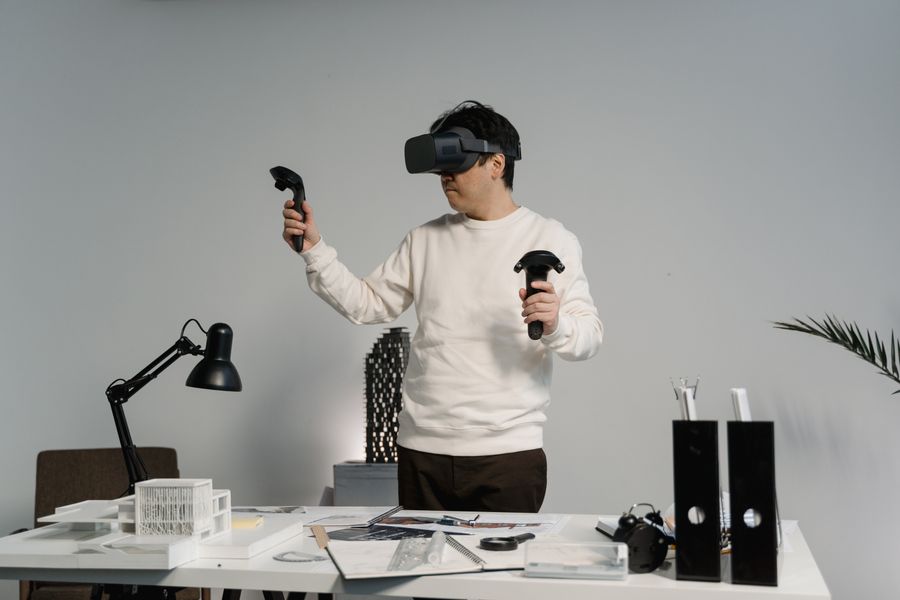
Evaluating a Unity AR, VR, or XR development company requires a different vetting process than hiring for a standard mobile game, and treating it identically is the most common mistake we see teams make. XR projects fail less often because of bad engineering and more often because of a mismatch between the studio's actual device experience and what the project requires, a mismatch that's invisible until real hardware testing exposes it, usually late and expensively. This guide covers exactly what to check before that happens.
AR vs. VR vs. MR vs. XR: What You're Actually Buying
These terms get used loosely enough in vendor marketing that it's worth being precise before any conversation about hiring. Augmented Reality (AR) overlays digital content on a live camera feed, most commonly through a phone using ARKit or ARCore, or increasingly through Android XR devices. Virtual Reality (VR) replaces the visual field entirely with a fully synthetic environment, run on headsets like Meta Quest. Mixed Reality (MR) sits between the two, anchoring digital objects to real-world surfaces so they interact convincingly with the physical space, a category Apple Vision Pro was built specifically around. XR is the umbrella term covering all three, and a company that markets itself as an "XR development company" should genuinely be capable across the category, not using XR as a rebrand for AR-only or VR-only work.
Why a Generalist Unity Studio Isn't Automatically an XR Studio
Unity is the common engine underneath both a casual mobile puzzle game and a Vision Pro spatial app, which creates a real risk: a studio with genuine mobile Unity expertise can look qualified for an XR brief on paper without having the specific, hard-won experience that XR development actually requires. Frame-rate targets are stricter and less forgiving in VR, since dropped frames don't just look bad, they cause physical discomfort. Spatial tracking and hand or controller input handling is a different interaction model entirely from touch or mouse input. And comfort design, avoiding motion sickness through careful camera movement and locomotion choices, is a discipline with its own body of best practice that a mobile-only background simply doesn't cover.
Device and Platform Support to Ask About Directly
A real XR development company should be able to speak specifically, not generically, about the devices and standards relevant to your project. Meta Quest remains the dominant standalone VR platform for consumer and many enterprise use cases. Apple Vision Pro represents the premium MR end of the spectrum, with its own distinct interaction paradigm and App Store review process. Mobile AR through ARKit (iOS) and ARCore (Android) covers the largest reach for AR experiences that don't require a dedicated headset. Android XR is a newer entrant worth asking about specifically if longevity and platform breadth matter to your roadmap. And OpenXR, the cross-platform standard many serious XR studios build on, is what keeps a project portable across headsets instead of locked to a single vendor's proprietary SDK, worth asking about directly since it materially affects how much rework a future port to a new headset requires.
Reading an XR Portfolio Critically, Not Just Impressively
XR demo reels are unusually easy to make look impressive on video while hiding real gaps, because a recorded walkthrough can smooth over comfort issues, tracking glitches, and performance drops that only become obvious when you actually put the headset on yourself. A basic 360-degree video viewer, a simple photo-anchored AR filter, and a fully interactive, hand-tracked spatial application are wildly different in engineering difficulty, but can look superficially similar in a thirty-second highlight clip. Ask specifically what interaction model each portfolio piece uses (hand tracking, controller input, gaze-based selection), what headset it was tested on, and whether you can actually try it yourself rather than only watching a recording of someone else trying it.
The Discovery Phase for XR Projects Should Look Different Than Mobile
A well-run discovery phase for an XR project covers ground a standard mobile game brief doesn't need to touch: which specific headset or headsets are the primary target, what tracking method the core interaction depends on (hand tracking, controllers, or a hybrid), and an early, rough comfort prototype tested on real hardware before full production art and content get built around it. Skipping this step to move faster is the single most common source of expensive late-stage rework in XR development, because a comfort or tracking problem discovered after months of content production is far costlier to fix than one caught in a two-week discovery prototype. A studio that pushes to skip straight to full production without this phase is optimizing for a faster-looking start, not a lower total cost.
Quality Assurance for XR: What It Actually Involves
XR QA covers real ground beyond the standard functional testing a mobile app needs. Frame-timing analysis matters more here than almost any other Unity project category, since a dropped frame in VR isn't just a visual stutter, it's a physical discomfort trigger for the user wearing the headset. Comfort testing with real users across a range of VR-experience levels (both people used to headsets and people trying one for the first time) catches issues that a development team, already acclimated to the experience after months of internal testing, often stops noticing in themselves. And multi-device testing, where relevant, verifies that tracking and performance hold up consistently across every headset the project targets, not just the one the development team happens to use daily. A studio that treats XR QA as identical to standard mobile QA, no additional testing categories, is very likely to ship comfort or performance issues that only surface once real, varied users try the experience.
Six Questions to Ask an XR Development Company Before Hiring
1. Do you own and actually test on the specific hardware my project targets?
An editor simulation cannot fully substitute for testing on real Quest, Vision Pro, or mobile AR hardware. If a studio can't describe its actual device testing setup, treat that as a real gap, not a minor detail.
2. Can I see a shipped XR title, not just a mobile portfolio with an AR filter demo?
A basic AR filter or a simple 360-degree viewer is a meaningfully lower bar than a full interactive XR application. Ask specifically for examples that match your project's complexity, not just the XR label in general.
3. What's your experience with comfort and motion-sickness mitigation?
This is one of the most XR-specific skills that doesn't transfer from standard game development, and a studio without a direct, specific answer here is likely to discover comfort problems late, during real user testing, rather than designing around them from the start.
4. Is the project built on OpenXR, or a single vendor's proprietary SDK?
An OpenXR-based build is meaningfully more portable to a future headset than one built directly against a single platform's proprietary tools, which matters if there's any chance your roadmap expands to additional devices later.
5. Do you have experience with my specific use case: consumer, or enterprise/training/simulation?
Enterprise XR (training simulations, digital twins, industrial visualization) has different success metrics, hardware constraints, and often longer sales and approval cycles than consumer AR or VR. Match the studio's actual experience to your category, not just to "XR" as a broad label.
6. How do you handle post-launch OS and headset firmware updates?
XR platforms update firmware and OS-level APIs more aggressively than mobile platforms have historically, and an update can break tracking or input behavior without warning. Ask what ongoing support looks like specifically for this risk, not just for standard bug fixes.
Enterprise vs. Consumer XR Projects: Different Budgets, Different Timelines
Consumer-facing AR or VR apps, games, filters, or interactive experiences aimed at a general audience, typically follow a project shape closer to a standard mobile title, with our Enterprise band ($50,000 and up, scoped individually) applying once real spatial tracking, custom hardware integration, or multi-headset support enters the picture. Enterprise XR work, training simulations, industrial digital twins, or B2B visualization tools, usually involves a longer sales and approval cycle, tighter integration with existing enterprise systems, and success measured against operational metrics (training completion rates, error reduction) rather than downloads or engagement. Neither category is inherently more expensive per hour of work, but enterprise engagements typically carry a longer overall timeline and a more involved discovery phase before development starts.
Common XR Development Mistakes That Cost Time and Budget
The most expensive XR mistakes are almost always discovery-phase mistakes that surface during late-stage testing instead. Designing an entire interaction system in the editor without early, frequent testing on real hardware is the single biggest one, since comfort and input issues that are invisible in a desktop simulation become immediately obvious the first time a real user puts on the headset. Underestimating platform-specific store review requirements is another: Meta's Quest Store and Apple's Vision Pro App Store both apply review standards around comfort, content, and interaction design that differ from standard mobile app review, and a build that hasn't accounted for them can face submission delays late in a project timeline. And building against a single headset's proprietary SDK without considering OpenXR, when multi-device support is even a possible future requirement, creates avoidable rework if the roadmap ever expands.
What to Expect on Cost and Timeline
XR and enterprise simulation projects start around $50,000 with a dedicated team in our own pricing structure, and the specific number moves based on hardware target, tracking complexity, and content volume, which is exactly why a fixed range doesn't mean much without a real scoping conversation first. Our full Unity development cost guide covers how pricing bands work in more general detail, including the specific factors, multiplayer, custom art, live-service infrastructure, that move a quote up regardless of platform.
Accessibility Considerations XR Teams Often Skip
Accessibility in XR design goes beyond the visual and motor accommodations a mobile app needs to consider, and it's an area still genuinely underserved across the industry. Seated-mode alternatives for standing-only VR experiences, adjustable locomotion options for users sensitive to smooth-motion discomfort, and clear audio cues alongside visual ones for spatial awareness all meaningfully widen who can actually use an XR product without excluding anyone by default. Asking a prospective XR partner directly whether accessibility is part of their standard design process, rather than an afterthought bolted on if a client specifically requests it, is a genuinely useful signal about production maturity, since it reflects whether comfort and inclusivity are treated as core design constraints or optional polish.
Cross-Platform XR Experience Matters More Than a Single-Headset Specialty
A studio deeply specialized in exactly one headset can do excellent work for a project locked permanently to that single device, but most real-world XR roadmaps eventually want reach across more than one platform, whether that's a VR app later ported to a second headset, or an AR feature that needs to work across both ARKit and ARCore devices. Genuine cross-platform XR experience, built on OpenXR and platform-abstracted input handling from the start rather than retrofitted later, is what makes that kind of expansion a scoped feature addition instead of a near-total rebuild. This is worth weighing directly against pure single-headset specialization when the specific choice is available, particularly if your product roadmap has any ambition beyond the very first launch platform.
Why Studios Choose PGP Studio for XR Development
We build on Unity's XR stack directly, including AR Foundation for mobile AR and OpenXR for cross-headset portability, covering Meta Quest, Apple Vision Pro, and standard ARKit/ARCore mobile AR as part of our regular capability set, not as a recent add-on to a mobile-only service list. Every developer on an XR engagement has shipped production Unity code on our own published catalog first, the same production discipline covered on our case studies page, before applying it to client XR work. Our deeper technical coverage of specific XR platform decisions, including Vision Pro versus Quest, building for Android XR, and Unity versus Unreal Engine for XR, is available on our blog if you want the technical detail behind our platform recommendations, not just the pitch. The full breakdown of our XR service offering and stack lives on the XR development page.
Total Cost of Ownership Extends Well Past Launch
XR hardware and OS ecosystems move faster than most web or mobile platforms, and budgeting only for initial development while ignoring the ongoing cost of staying current is a common, avoidable planning gap. Meta, Apple, and the broader OpenXR ecosystem all ship regular firmware and SDK updates that can affect tracking behavior, input handling, or store compliance requirements without much advance warning to individual developers. A realistic XR budget includes an ongoing maintenance allowance for exactly this, distinct from new feature development, the same way a mobile app budgets for OS-version compliance updates as a matter of course rather than a surprise line item.
Hiring an XR Partner Remotely from the US, UK, Europe, or Australia
The same remote-hiring considerations that apply to standard Unity development apply to XR work, with one addition worth flagging: because real hardware testing matters so much in XR, ask specifically how a remote studio handles device testing and demo reviews across a time zone gap, since "try it yourself" isn't always practical when the hardware is in a different country. A studio experienced in remote XR delivery will have a concrete answer, typically recorded video walkthroughs on real hardware plus scheduled live demo calls, rather than asking you to trust a description alone.
Talk Through Your XR Project
XR projects benefit more than most from an early, honest scoping conversation, since hardware and tracking requirements move the estimate more than almost any other project category. Book a free consultation to talk through your specific device targets and use case, or review our full XR development capabilities to see how our stack matches your requirements before reaching out.
Frequently Asked Questions
What's the difference between an AR, VR, MR, and XR development company?
AR overlays digital content on the real world through a phone or headset camera. VR replaces the visual field entirely with a fully digital environment. MR blends both, letting digital objects interact with real-world surfaces. XR is the umbrella term covering all three. Most companies calling themselves an XR development company should be able to work across all three, not just one.
Does an XR development company need its own test hardware?
Yes, and this is one of the fastest ways to separate a real XR studio from one that added AR/VR to a service list without the capability. Performance, comfort, and tracking behavior differ meaningfully across Meta Quest, Apple Vision Pro, and mobile AR devices, and none of that can be fully verified in an editor simulation alone.
How much does a Unity XR project typically cost?
XR, enterprise, and simulation projects typically start around $50,000 with a dedicated team, scoped individually because hardware target, tracking requirements, and content volume all move the estimate meaningfully. A free scoping conversation is the only reliable way to get an accurate number for a specific XR brief.
Can an XR development company support both consumer and enterprise projects?
The underlying Unity and OpenXR skills overlap significantly, but enterprise XR work (training simulations, digital twins, industrial visualization) typically involves a longer sales cycle, custom hardware integration, and different success metrics than a consumer AR or VR app, so ask specifically about experience with your project's category, not just XR in general.
Is Unity or Unreal Engine better for XR development?
Both are viable, and the right choice depends on your specific rendering and platform needs more than a blanket rule. Our own comparison of the two engines specifically for XR work is a useful next read if you're still deciding on the underlying engine before choosing a development partner.
Have a Unity or XR project in mind?
Tell us what you're building and we'll come back with a scoped plan, not a sales pitch.
Start Your Project