ASO Checklist 2026: Rank Higher on Google Play & App Store
PGP Studio Team · April 22, 2026 · 9 min read
The exact ASO playbook our team uses to push casual & hyper-casual titles into the Top Charts in 2026.
App Store Optimization remains the most critical organic growth engine any small studio has, but the algorithm changed under everyone's feet in 2026. Google Play now weighs retention and session frequency alongside raw install volume, and actively demotes listings with high uninstall rates. Keyword-stuffed descriptions no longer work: Google's algorithm is sophisticated enough to detect and penalize unnatural text. This is the checklist we actually run against our own listings before every launch, not a theoretical framework we read about somewhere.
Why the Old ASO Playbook Stopped Working
For years, ASO was mostly a keyword-density game: stuff the title and short description with high-volume search terms, publish, and watch the impressions roll in. That approach is dead weight now. The store's ranking model increasingly rewards listings that convert well and retain players, which means an app that wins the click but loses the player within a day actively hurts its own future visibility. Optimizing for the tap is no longer enough; you have to optimize for what happens in the first session after the tap, because the store is watching that too.
That shift matters most for casual and hyper-casual titles, where the gap between 'looks fun in a screenshot' and 'is actually fun for ninety seconds' is where most installs get burned. If your listing overpromises relative to the build, the algorithm eventually notices the uninstall curve and quietly stops showing you to new users. The fix isn't a metadata trick, it's making sure the listing is an honest preview of the first session, not a highlight reel of the best possible run.
Target User Intent, Not Just Keywords
Guided Search on Google Play now lets players type a goal instead of a search term: 'relaxing game for a commute' or 'puzzle game with no ads' instead of a bare keyword. Sorting apps into intent categories means metadata built around exact-match keywords alone misses a growing share of discovery traffic. If your short description reads like a keyword list, it does nothing for this surface.
Practically, this means writing your short description and first two lines of the long description as if you're answering the question a player actually has in their head: what will I feel doing this, and how long will one session take. 'A no-timer block puzzle for quiet, no-pressure play' does more work on an intent-driven surface than a string of genre keywords ever will, while still containing the keywords naturally.
Use Custom Product Pages to Their Full Extent
Google expanded the Custom Product Pages limit from 35 to 70 pages, giving studios real room to test different screenshots, descriptions, and audience segments against each other instead of guessing which listing converts best. A Custom Product Page lets you build an alternate version of your store listing (different screenshots, different first line, different feature graphic) and route specific traffic sources to it: a Reddit post, a specific ad creative, an influencer's link.
The studios getting the most out of this aren't running one experiment and calling it done. They're running a rolling set of 3 to 5 CPP variants at any given time, each tied to a specific acquisition channel, and retiring the losers every few weeks. If you've never touched Custom Product Pages, start with the highest-traffic channel you already have and build one alternate page for it before spreading thinner across more.
Don't Skip the Preview Video
A 15 to 30 second auto-playing preview meaningfully lifts conversion. Screenshots alone aren't enough to win the first few seconds anymore, because a static image can't communicate pace or feel, and pace and feel are exactly what a casual player is trying to judge before they commit to a download. The preview doesn't need production value; it needs to show real gameplay, in real time, doing the thing the genre promises.
The most common mistake we see in preview videos is front-loading a cinematic logo intro before any gameplay shows. On a store listing, you have roughly two seconds before a scrolling thumb moves on. Cut straight to gameplay, keep the pacing tight, and save any branding for the very end of the clip, not the beginning.
Screenshot Order Is a Funnel, Not a Gallery
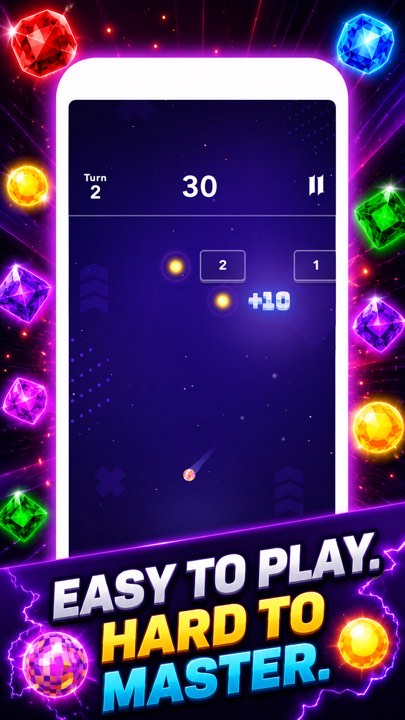
Most listings still treat their screenshot carousel as a gallery: five equally-weighted images with no narrative order. Treat it as a funnel instead. The first screenshot has to do the most work, since it's the one visible before a player has even started scrolling, so it should show the single most compelling moment of actual gameplay, not a logo screen or a menu.
From there, sequence screenshots to answer the questions a skeptical player is silently asking in order: what does it look like in motion, what makes it different from the ten other similar apps they've seen this week, and what's the reward loop. Save any 'as featured on' or rating-badge screenshots for last, since they support a decision the player has mostly already made rather than driving it.
Review Velocity and Rating Recovery
A 4.9 or 5.0 average rating with only a handful of reviews reads very differently to the algorithm than the same average with hundreds. Review count is a trust signal independent of the score itself, and it compounds: listings with more reviews tend to get more organic impressions, which produces more reviews, which reinforces the signal further. Prompting for a review at the right moment (after a clear win, never after a failure state) is worth building into the game loop deliberately rather than leaving to the default OS prompt timing.
When a rating dips after a rough patch or a bad update, resist the urge to do nothing and wait it out. Respond to negative reviews that describe a real, fixable bug, ship the fix, and where the platform allows it, note the fix in the response. Reviewers do occasionally update their score after a acknowledged fix ships, and even when they don't, a visible pattern of responsive fixes reads well to every future reader of the review section, not just the original reviewer.
Localization as an Underused ASO Lever
English-only metadata is the single biggest unforced error we see in casual game listings that otherwise do everything right. Localizing your title, short description, and screenshots into even five or six additional high-volume markets (typically Spanish, Portuguese, Hindi, Indonesian, and German cover a huge share of casual mobile players outside English-speaking markets) routinely lifts organic installs in those regions more than any single metadata tweak in English does.
This doesn't require a full production localization pass. Translating store metadata and swapping in-screenshot text callouts is a fraction of the cost of localizing the actual game, and it's the highest-leverage first step if you're resource-constrained. Machine translation reviewed by a native speaker for tone is good enough for store metadata; save professional localization budget for the in-game UI once a market proves itself.
Icon and Title Testing Never Really Ends
The app icon carries more weight than most developers give it credit for, because it's the only asset visible in search results, category browsing, and the home screen after install, all at once. A cluttered icon that looks fine at full size on a design tool often becomes an illegible smear at the 48px thumbnail size a player actually sees while scrolling a results page. Test every icon candidate at real thumbnail size on an actual device before locking it in, not zoomed in on a monitor.
Title testing matters just as much and gets far less attention. The first 30 characters of your title are what actually render in most search result layouts before truncation, so the genre-defining keyword needs to sit inside that window, not trail off the end where it gets cut. We've moved a single keyword from the end of a title to right after the brand name and measured a real, if modest, lift in impression-to-install conversion purely from the improved legibility in truncated results.
Icon and title changes are cheap to test and slow to feel confident about, since the sample size needed to detect a real difference in conversion rate is larger than most developers expect. Give any single change at least two to three weeks of stable traffic before drawing a conclusion, and change one variable at a time. Changing the icon and the title in the same release makes it impossible to know which one moved the number.
Seasonal and Timely Refreshes Compound Over Time
Store listings that never change read as abandoned to both players and, increasingly, to the ranking algorithm itself. A feature graphic refreshed for a seasonal event, a screenshot updated to reflect a genuinely new feature, or a description line mentioning a recent content update all signal an actively maintained product. This matters even for a game that hasn't had a major content update recently: a metadata refresh costs almost nothing and keeps the listing from looking stale next to competitors who refresh regularly.
We treat listing refreshes on a quarterly cadence at minimum for every live title, independent of whether a content update shipped that quarter. At minimum, that means re-checking whether the screenshot set still represents the current build accurately, since UI changes accumulate over updates and a screenshot showing an old interface actively undersells a game that has since improved.
Where iOS ASO Diverges From Google Play
Everything above skews Google Play in its specifics, because Play's ranking signals (Guided Search, Custom Product Pages at a 70-page limit) are the ones that changed most recently. Apple's App Store runs on a meaningfully different mechanism underneath, and treating the two stores as the same checklist with different screenshot sizes is the most common cross-platform ASO mistake we see. The biggest structural difference: Apple's keyword field is a single 100-character, comma-separated, user-invisible field, completely separate from the visible title and subtitle, while Google's algorithm scans the full visible title and description text directly. That means iOS keyword strategy is a finite budgeting exercise (which exact terms earn a slot in 100 characters, with no room for natural-language padding) where Play keyword strategy is closer to natural-language writing that happens to also serve the algorithm.
Apple also runs its own native A/B testing tool, Product Page Optimization, which tests up to three treatments of icon, screenshots, or app preview video against your current listing and reports a statistically significant winner, functionally Apple's answer to Google's Custom Product Pages but built for the default listing itself rather than a separate alternate page tied to a specific traffic source. In-App Events are a third, distinct lever unique to iOS: time-boxed events (a tournament, a seasonal update, a limited-time mode) that can surface directly in Search results and the Today tab with their own dedicated card, giving a live-service or seasonal title a visibility spike Google Play has no direct equivalent for. Apple's own Custom Product Pages exist too, capped at 35 variants rather than Google's 70, and serve the same alternate-listing-per-channel purpose.
The practical takeaway for a studio publishing on both stores: budget separate ASO time for each platform rather than treating one as the template for the other. A Play-first team that ports its exact keyword-stuffed short description into Apple's subtitle field is leaving iOS discovery on the table, and an Apple-first team that never touches Guided Search intent phrasing is doing the same in reverse.
Measuring What Actually Matters
Raw install volume is the metric every dashboard leads with and the one we trust least on its own, because it conflates two entirely different problems: not enough people seeing the listing, and enough people seeing it but not converting. Splitting the funnel into its two real stages fixes that. Impression-to-product-page-view rate tells you whether your icon and title are doing their job in a search result or browse row, before a player has seen anything else about the game; a listing with healthy impressions but a weak click-through rate has an icon or title problem, not a screenshot problem, and no amount of screenshot-sequencing work fixes it. Product-page-view-to-install rate, sometimes called conversion rate, isolates the second stage: of the people who already clicked through, how many actually installed. A weak number here, with a healthy click-through rate, points squarely at the screenshots, preview video, or description, not the icon.
Keyword ranking position for a defined tracked list (branded terms, category terms, and 5 to 10 genre-defining non-branded terms) is worth tracking weekly, not because any single week's movement means much, but because the trend line over 4 to 6 weeks tells you whether a metadata change actually moved the needle or whether an observed lift was noise. The trap we see most often is a studio declaring an ASO change successful off a single good week, then reverting it a month later when a slow week looks bad, without ever separating signal from the platform's normal week-to-week variance.
The single most underused metric in casual ASO specifically is retained-install quality: install volume segmented by whether the player is still active at day 1, day 7, and day 30, cut by acquisition source. A listing change that raises raw installs but lowers day-7 retention is usually attracting the wrong player, someone whose expectations from the icon or screenshots don't match the actual game, which is a listing-accuracy problem dressed up as an ASO win. We'd rather ship a listing change that holds installs flat but raises day-7 retention than one that spikes installs and quietly degrades it, since the second one is borrowing against future organic ranking (the store's own algorithm increasingly weighs retention, per the opening point in this piece) to post a better number this month.
What We Actually Run Before Every Launch
On our own catalog, every listing goes through the same sequence before it ships: intent-first short description, a screenshot set ordered as a funnel rather than a gallery, a gameplay-first preview video with no logo intro, and a Custom Product Page variant for whatever channel we expect the first wave of traffic from. None of this is exotic. It's a checklist, run consistently, on every title, including the smaller ones that don't get the marketing attention of a flagship release.
The single highest-leverage change for most small studios reading this isn't any individual tactic above, it's treating the store listing as a living product with its own iteration cycle, the same way you'd iterate on the game itself. A listing you set once at launch and never revisit is leaving organic growth on the table every single day it goes untouched, and that cost compounds silently since a static listing doesn't throw an error, it just quietly underperforms against where it could be.
If you take one thing away from this checklist, make it the ordering principle behind almost every point here: every element of a store listing should answer a real question a skeptical player is asking, in the order they're asking it, using honest gameplay rather than aspirational framing. Everything else, from Custom Product Pages to localization to review prompts, is a way of executing that principle more precisely for a specific audience or channel.
Two related shifts are worth tracking alongside this checklist: the API-level and verification changes in our Google Play Target API Level 2026 guide, and the distribution-side changes in our EU Digital Markets Act coverage. None of it replaces an outside second opinion on a specific listing, though, which is exactly what our case studies page documents with real before-and-after numbers.
Want a second opinion on your own Play Store listing?
This is the same kind of outside review we run on our own titles before every launch.
Start a ConversationGet Unity dev tips in your inbox
Practical guides on Unity, ASO, XR, and mobile monetization from the PGP Studio team. No spam, unsubscribe anytime.
Browse all articles