AI Game Testing & QA Automation Tools in 2026: A Small Studio's Guide
PGP Studio Team · July 6, 2026 · 9 min read
From Razer's GDC 2026 QA Companion-AI to open-source Maestro, the actual tool stack a small team without a QA department can use.
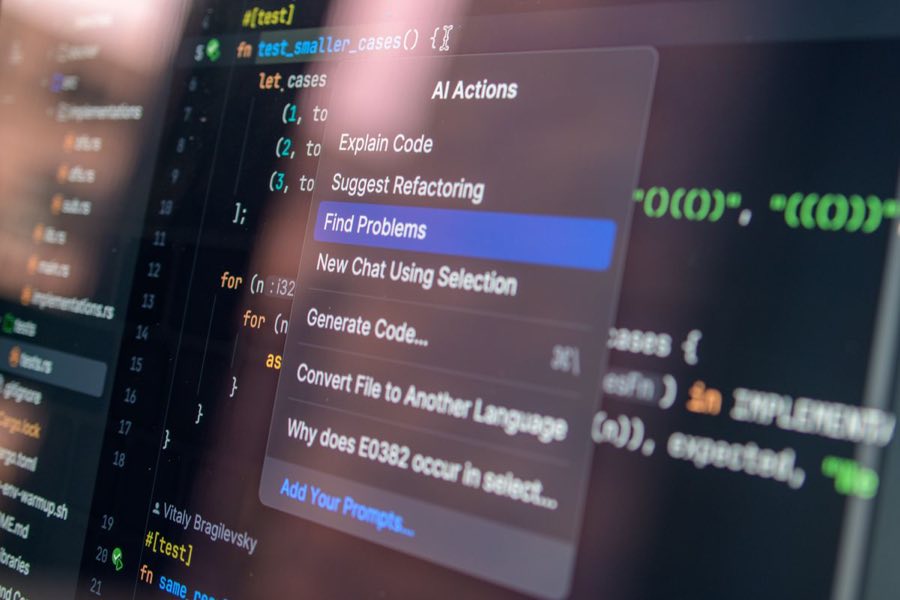
Razer's QA Companion-AI debuted at GDC 2026 as a cloud-based, vision-based bug and crash detector that works against any build with no code changes required, distributed through AWS Marketplace, alongside WeTest's own AI Test Agent Platform for scaled automated testing. For a small studio without a dedicated QA department, that no-code-changes requirement is the detail worth paying the closest attention to, because it means adopting a genuinely capable automated testing tool no longer requires the kind of engineering integration overhead that has historically put dedicated QA tooling out of reach for a team our size.
Why Vision-Based Detection Changes the Cost Equation
A vision-based bug and crash detector, one that watches gameplay footage the way a human tester would rather than requiring instrumented code hooks throughout the game's own codebase, fundamentally changes the integration cost of adopting automated QA tooling. Traditional automated testing frameworks have historically required a studio to write and maintain test-specific code paths inside the game itself, an investment that is genuinely hard to justify for a small team already stretched thin on core feature development. A tool that instead observes a build the same way a human QA tester would, visually, without requiring the game's own code to be modified to support it, removes that upfront integration cost almost entirely, which is exactly the kind of change that makes automated QA newly accessible to a team our size that previously could not have justified the engineering investment.
Maestro: The Open-Source Option Worth Learning First
On the free and open-source side, Maestro, a UI testing framework using human-readable YAML flows, passed 10,800 GitHub stars in early 2026, and remains genuinely usable for a small team without a dedicated QA hire. The YAML-based flow definition is the specific design decision that makes Maestro accessible to a team without dedicated test automation engineers: writing a test flow looks closer to writing a short, readable checklist of user actions (tap this button, expect this screen, swipe here) than to writing conventional test automation code, which meaningfully lowers the barrier for a generalist developer to write and maintain a useful regression test suite without first becoming a dedicated test automation specialist.
AltTester, which is Unity-specific and distributed under a GPL-3.0 license, and Appium, which covers cross-platform mobile automation more broadly, round out the practical open-source stack worth knowing for Unity and general mobile automation respectively. AltTester's Unity-specific integration gives it deeper access to Unity's own object hierarchy and component state than a purely vision-based or generic mobile automation tool can offer, which matters for testing scenarios that need to verify specific internal game state, not just what is visually rendered on screen, while Appium's broader cross-platform reach makes it the better choice for testing flows that need to span both the game itself and surrounding platform-level interactions like app store review prompts or OS-level permission dialogs.PlaytestCloud and the Shift From Bug-Hunting to Usability Analysis
For playtesting rather than pure bug-hunting specifically, PlaytestCloud now uses GPT-4-class models to auto-analyze playtest video and transcripts for usability friction and monetization drop-off points, a genuinely different use case than the crash and bug detection tools covered above. Where Maestro and AltTester answer the question does this specific interaction work correctly, PlaytestCloud's AI analysis layer is aimed at a softer, harder-to-automate question: where do real human players get confused, frustrated, or disengaged, even when nothing is technically broken. Automating the first pass of that analysis, flagging the specific moments in a playtest session where a player's behavior suggests friction, before a human researcher reviews the flagged moments directly, meaningfully speeds up what has historically been one of the slower, more labor-intensive parts of the playtesting process: manually reviewing hours of session recordings looking for exactly these moments.
GameBench for the Question Analytics Alone Can't Answer
GameBench remains the standard for device-level performance benchmarking, covering frames per second, frame stability, thermals, and battery drain across a representative device matrix, and it answers a category of question that neither the bug-detection tools nor the playtest-analysis tools above are built to address: not whether a feature works correctly or whether players find it confusing, but whether the game runs acceptably on the actual range of hardware a real player base owns. Given how much of our own player base sits on budget-to-mid-range Android hardware rather than flagship devices, device-level performance benchmarking across a representative hardware spread, not just our own development and testing devices, is a category of testing we treat as non-negotiable before any release, regardless of how confident a team feels based on testing against flagship hardware alone.Building a Stack From These Pieces, Not Buying One Platform
The clearest lesson from surveying this whole landscape is that no single tool in this space covers the full range of what a small studio actually needs to test before a release, and the more useful mental model is assembling a purpose-built stack from several tools each covering a distinct category of risk, rather than searching for one platform that claims to do everything. Bug and crash detection, functional regression testing, usability and friction analysis, and device-level performance benchmarking are four genuinely different categories of question, and the tools best suited to each category tend to be different tools, built by different teams with different underlying approaches, rather than four features bolted onto a single unified platform.
Our Own Actual Stack, and Why We Chose It
Our actual stack recommendation for a team our size, and the one we run internally across our own catalog, is Maestro or AltTester for regression coverage depending on whether the specific test needs deep Unity-internal state access, GameBench before every store submission without exception, and PlaytestCloud only when we have a specific UX question we cannot answer by staring at our own analytics dashboards directly. That last qualifier matters: PlaytestCloud and similar paid playtesting services carry a real per-session cost, and we reserve that spend specifically for situations where our own retention and funnel analytics show a clear drop-off point but do not explain why players are dropping off there, rather than running paid playtests as a routine, unconditional part of every release cycle.
What We Watch For as This Tooling Matures
The specific trend we are watching most closely across this entire category is how quickly the vision-based, no-code-integration approach pioneered by tools like Razer's QA Companion-AI expands to cover more of the functional regression testing that currently still requires a YAML flow definition or code-level instrumentation through tools like Maestro or AltTester. If vision-based testing matures to the point where it can reliably cover functional regression testing at the same fidelity as a purpose-built instrumented test, that would meaningfully simplify the multi-tool stack we currently recommend into something closer to a single primary tool supplemented by GameBench for device performance specifically. We are not there yet as of 2026, but the direction of travel across this whole category points that way, and it is worth revisiting this specific recommendation again within the next year as these tools continue to mature.
Integrating These Tools Into an Actual Release Checklist
Knowing which tools exist is only half the value; the other half is where each one sits in an actual, repeatable release checklist rather than being run ad hoc whenever someone remembers to. Our own release checklist runs Maestro or AltTester regression suites as a required gate before any build is even considered for store submission, GameBench benchmarking as a required gate specifically before final submission once the build is otherwise considered feature-complete, and reserves PlaytestCloud sessions for a specific, scheduled point earlier in development, typically once a new core feature has been implemented but before it has been fully polished, when a fresh, honest read on usability friction is most actionable and least costly to act on.
The Cost of Skipping This Discipline
We have shipped without this full discipline in place in our earlier years as a studio, and the specific failure mode that discipline now prevents is not usually a dramatic, headline-grabbing crash, it is a slower, quieter accumulation of small friction points and performance regressions that individually seem minor but collectively erode retention in ways that are hard to trace back to a single root cause after the fact. Treating this testing stack as a mandatory gate rather than an optional nice-to-have, especially under release deadline pressure when it is most tempting to skip, has been the single biggest process change behind our catalog's consistently high store ratings.
Budgeting for This Stack as a Small Studio
For a studio evaluating whether this level of tooling investment is affordable, the honest answer is that the open-source pieces of this stack, Maestro and AltTester specifically, cost engineering time to set up and maintain rather than a direct licensing fee, while GameBench and PlaytestCloud carry real subscription or per-session costs that need to be weighed against catalog size and release frequency. We treat the open-source regression tooling as non-negotiable regardless of budget constraints, since the cost is primarily time rather than money, while treating the paid tools as a scalable investment that grows with catalog size and revenue rather than an all-or-nothing commitment made once and left unchanged.
Onboarding a Team Onto This Stack Without Prior QA Automation Experience
For a team with no prior automated testing experience at all, the honest starting recommendation is to begin with Maestro specifically, not because it is more capable than the alternatives covered here, but because its YAML-based flow definition genuinely is approachable for a generalist developer within a day or two of focused learning, which matters enormously for actually getting a team to adopt and maintain a testing habit rather than abandoning a more powerful but harder-to-learn tool after an initial burst of enthusiasm fades under deadline pressure. Starting with the tool most likely to actually get used consistently beats starting with the theoretically most capable one that ends up neglected after the first sprint.
A Realistic Timeline for Building Out This Stack
Building the full stack described in this piece, regression coverage, device benchmarking, and occasional usability playtesting, realistically takes a small team several months of gradual, incremental investment alongside regular feature work, not a single dedicated sprint. We built our own testing discipline up exactly this way, starting with GameBench benchmarking alone as the first piece adopted, then adding Maestro regression coverage roughly two releases later once the team had bandwidth, and only introducing PlaytestCloud sessions once we had a specific retention question our own analytics could not answer on their own. That gradual sequencing kept the investment proportional to what the team could actually absorb at each stage, rather than attempting a full stack adoption all at once and risking the whole effort stalling out under the combined weight of learning several new tools simultaneously. We revisit this exact stack recommendation annually, since tooling in this space is moving quickly enough that a recommendation more than a year old deserves a fresh look before being trusted at face value.
Testing is only half of where AI tooling has actually gotten production-ready; our AI 3D Asset Generation piece handles the content-generation side. A QA stack along these lines is a standard part of our development process on every title we touch, ours or a client's.
Want AI features built into your next release?
We build exactly this kind of AI tooling into client Unity projects, not just cover it here.
Explore AI IntegrationGet Unity dev tips in your inbox
Practical guides on Unity, ASO, XR, and mobile monetization from the PGP Studio team. No spam, unsubscribe anytime.
Browse all articles